How to create a new wallet?
iOS
To do so you should open the Menu and tap on the «+» button on the left side of the screen.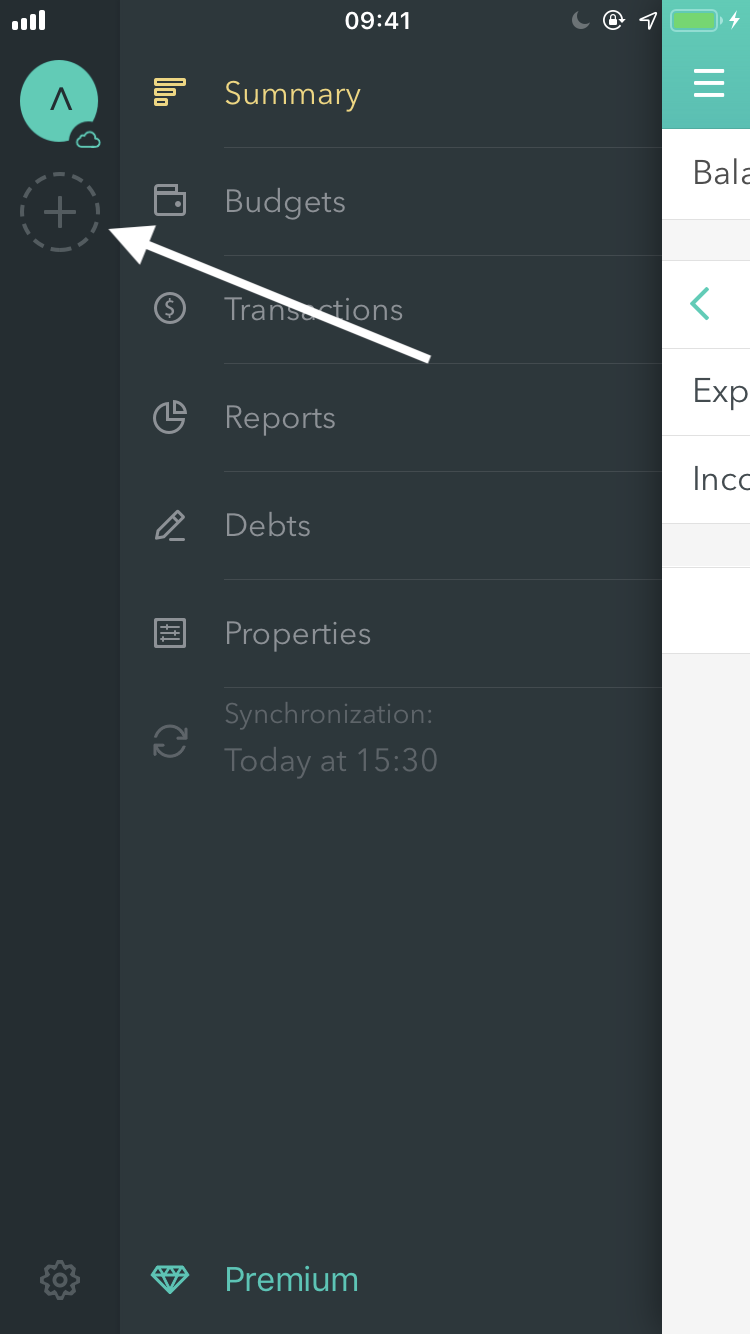
Android
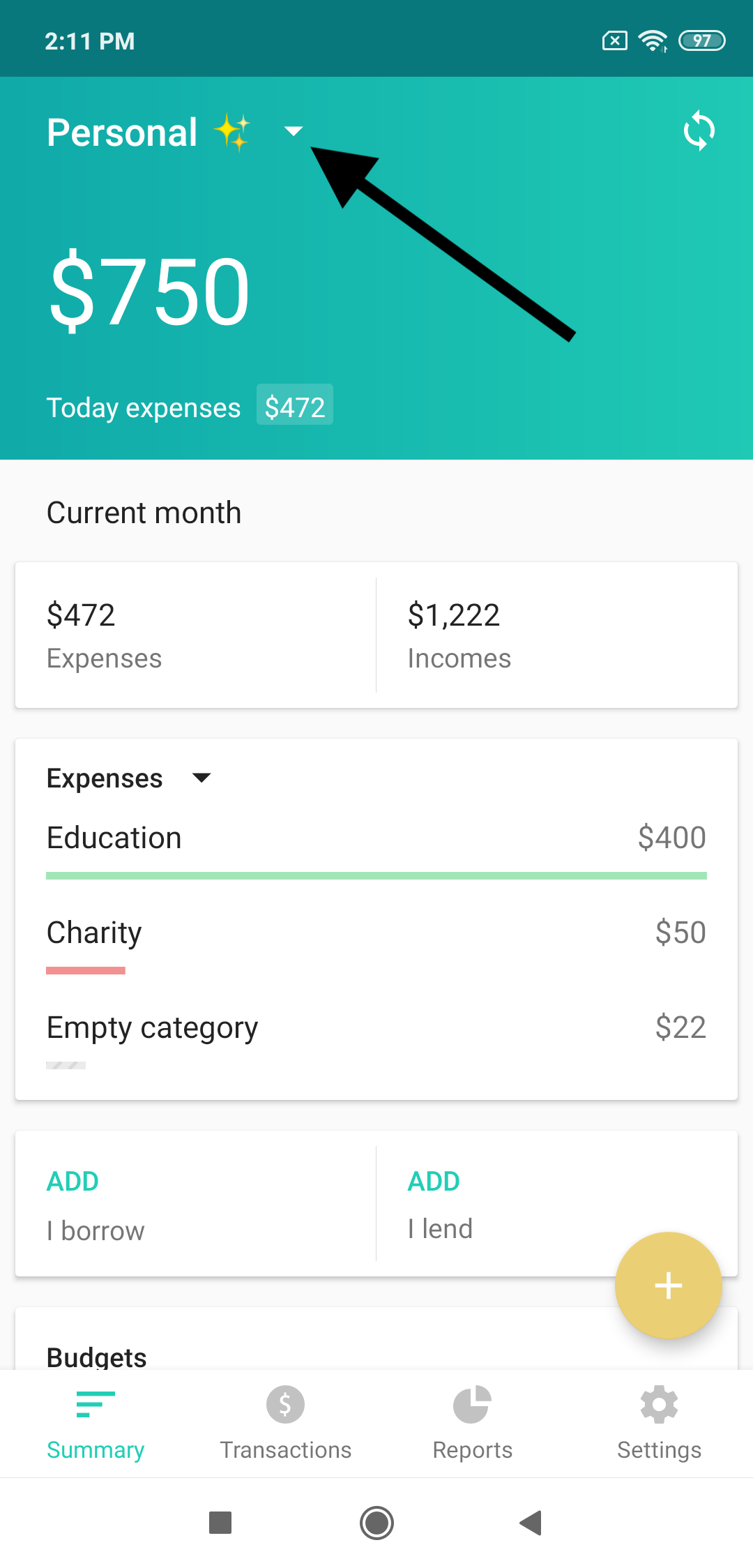
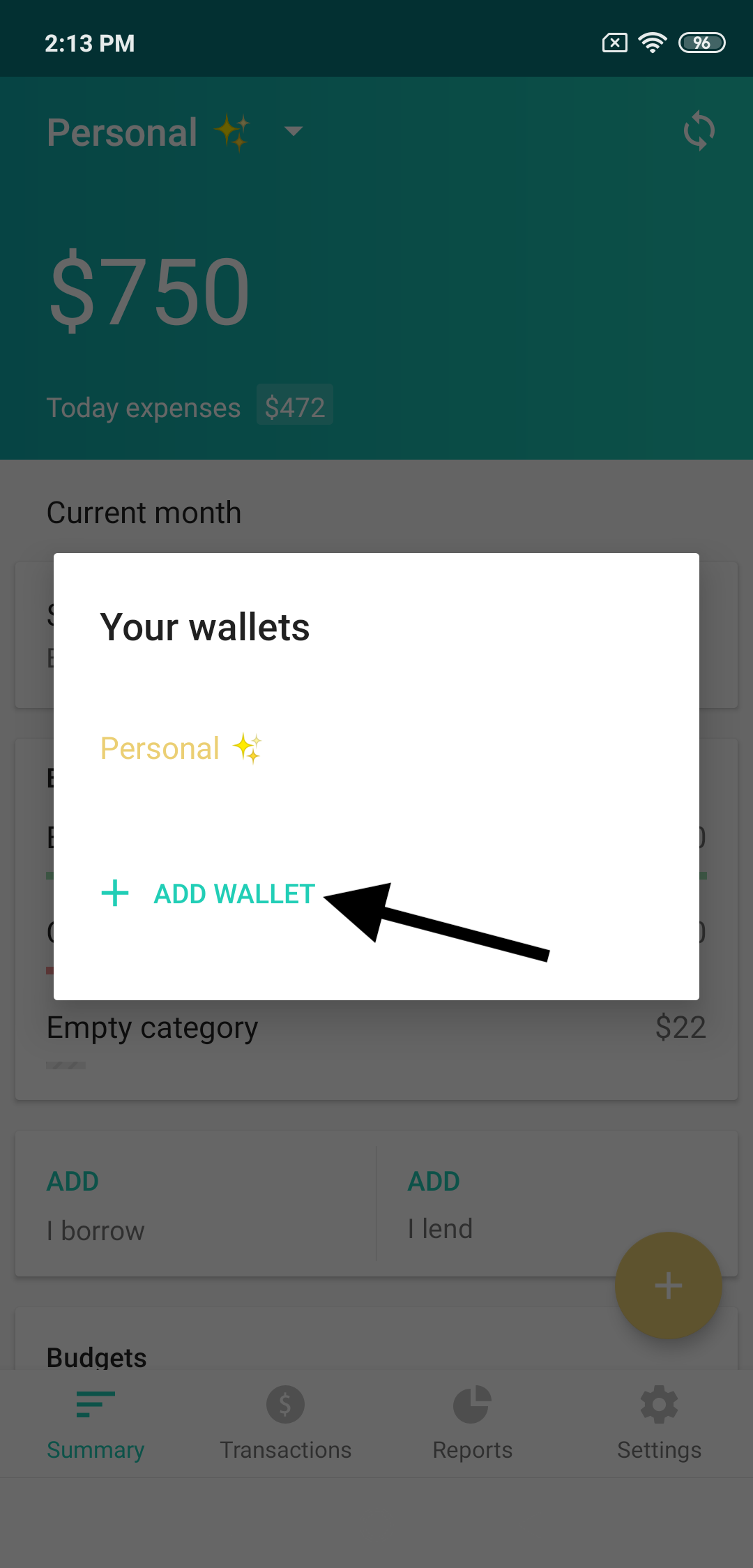
To do so you should tap on the wallet’s title on the Summary screen and then on the «Add new wallet» button.
This page is not translated into Italiano yet. You are reading the English version. Read in: Русский English
To do so you should open the Menu and tap on the «+» button on the left side of the screen.
To do so you should tap on the wallet’s title on the Summary screen and then on the «Add new wallet» button.