Track expenses as you go
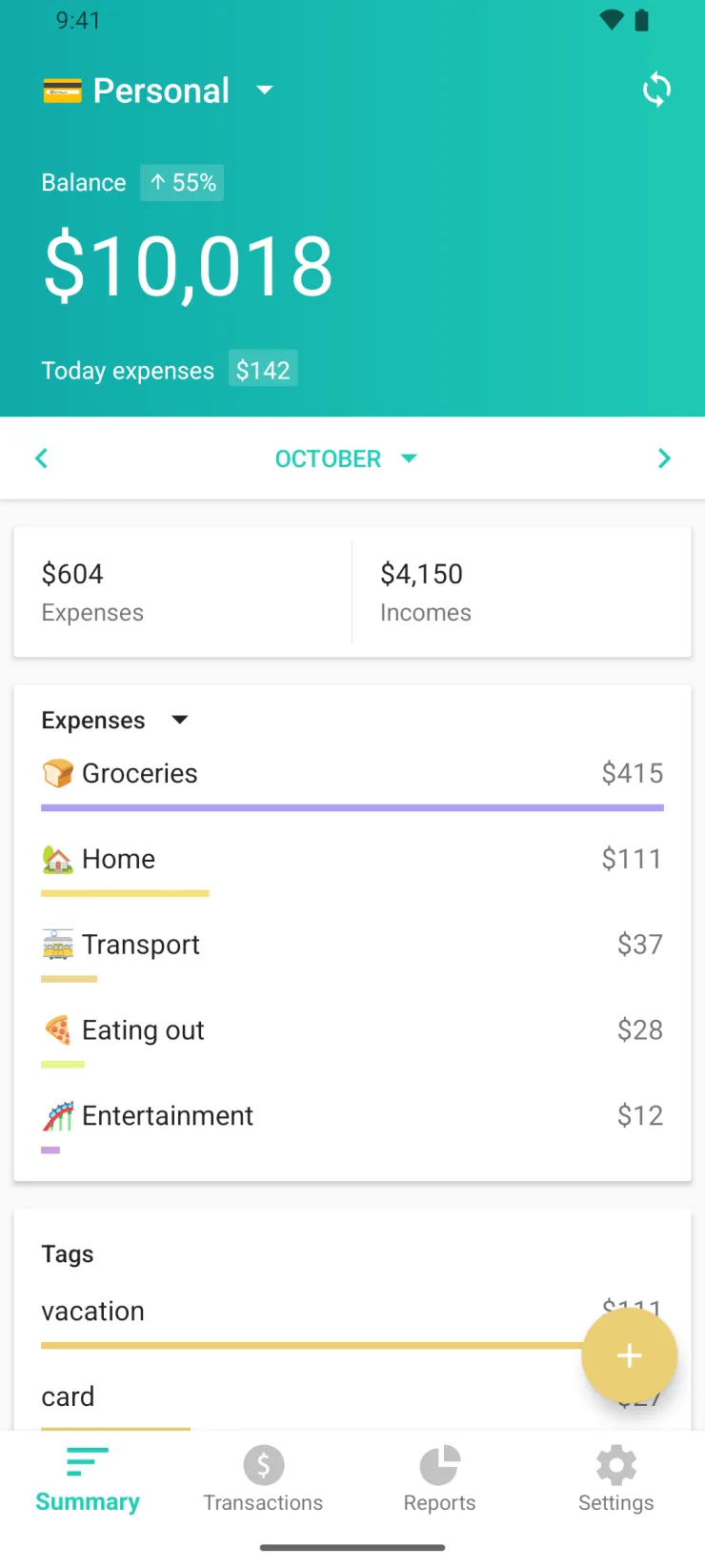
Tap + and start typing the amount. Log expenses and income while you remember them. Your monthly budget shows where to slow down.
For iPhone and Android. Core features free forever. In development since 2014.
- 1.5M+ downloads
- 120M+ expenses and income records
- 4.6 12,500+ ratings on the App Store worldwide
- 140 countries where Moneon was App of the Day
What it does
Where the money went
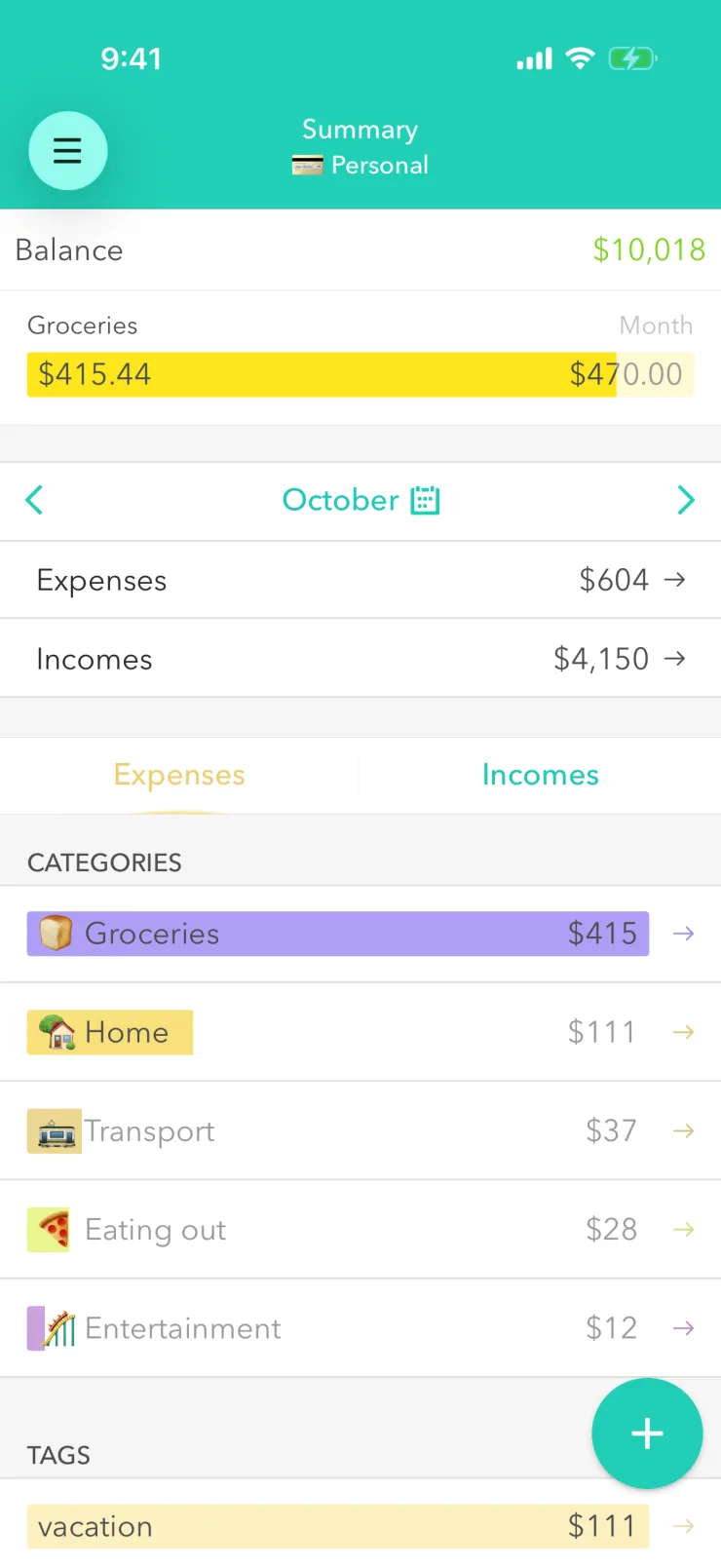
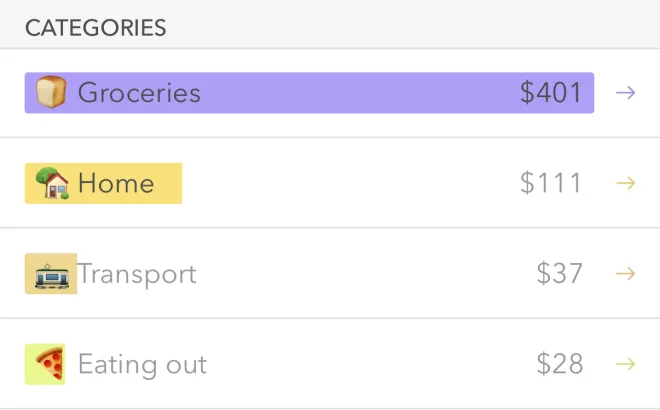
We group your expenses and income by category, so you can see where you spend the most.
Monthly budget
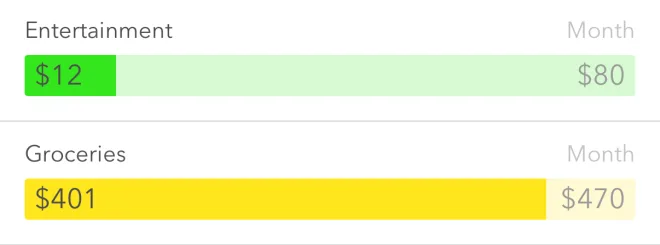
Set an amount for a category, say $470 for groceries. As spending nears it, the bar turns yellow.
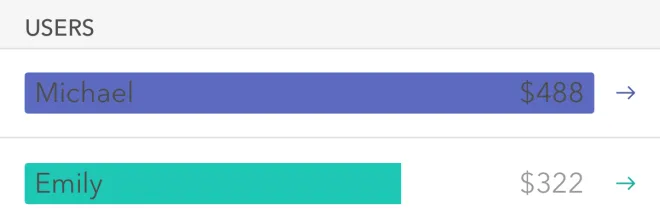
Shared wallet for a family budget Premium
Keep one wallet for two or for the whole family. Every expense shows who added it.
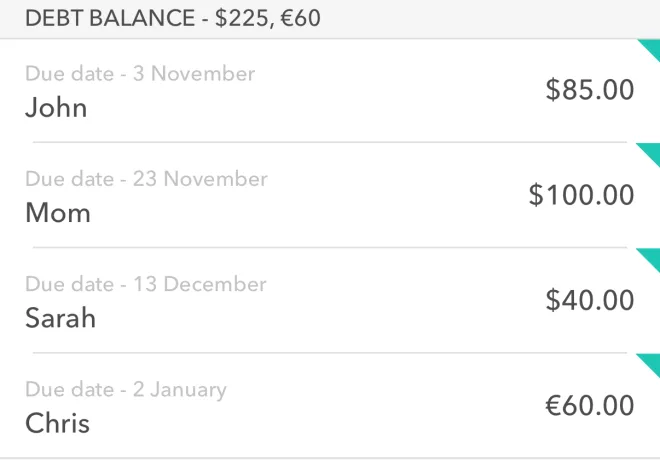
Debts Premium
Note who owes whom, how much and by when. In any currency.
Log it while you're still at the checkout
- 1
Tap + — the amount keypad is already open.
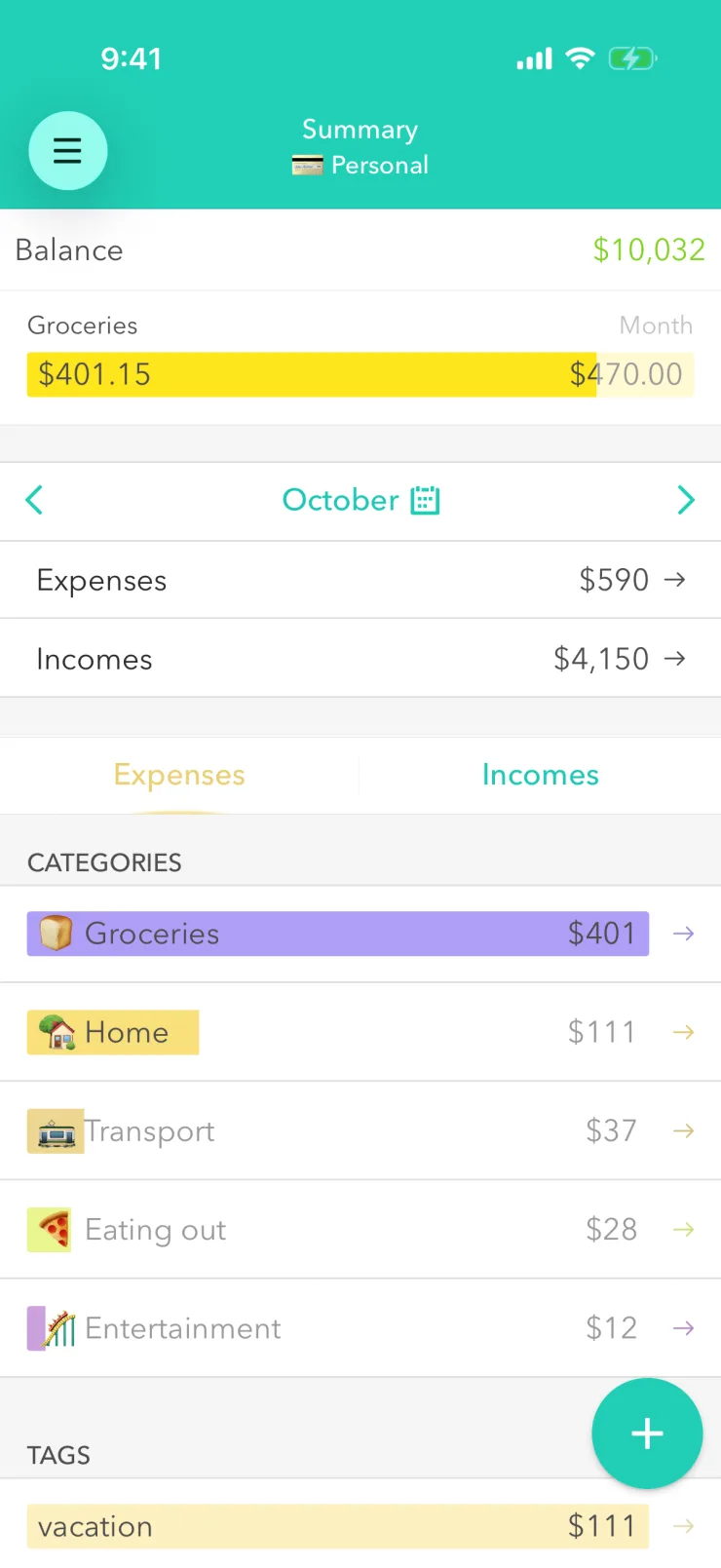
- 2
Enter the amount and pick a category.
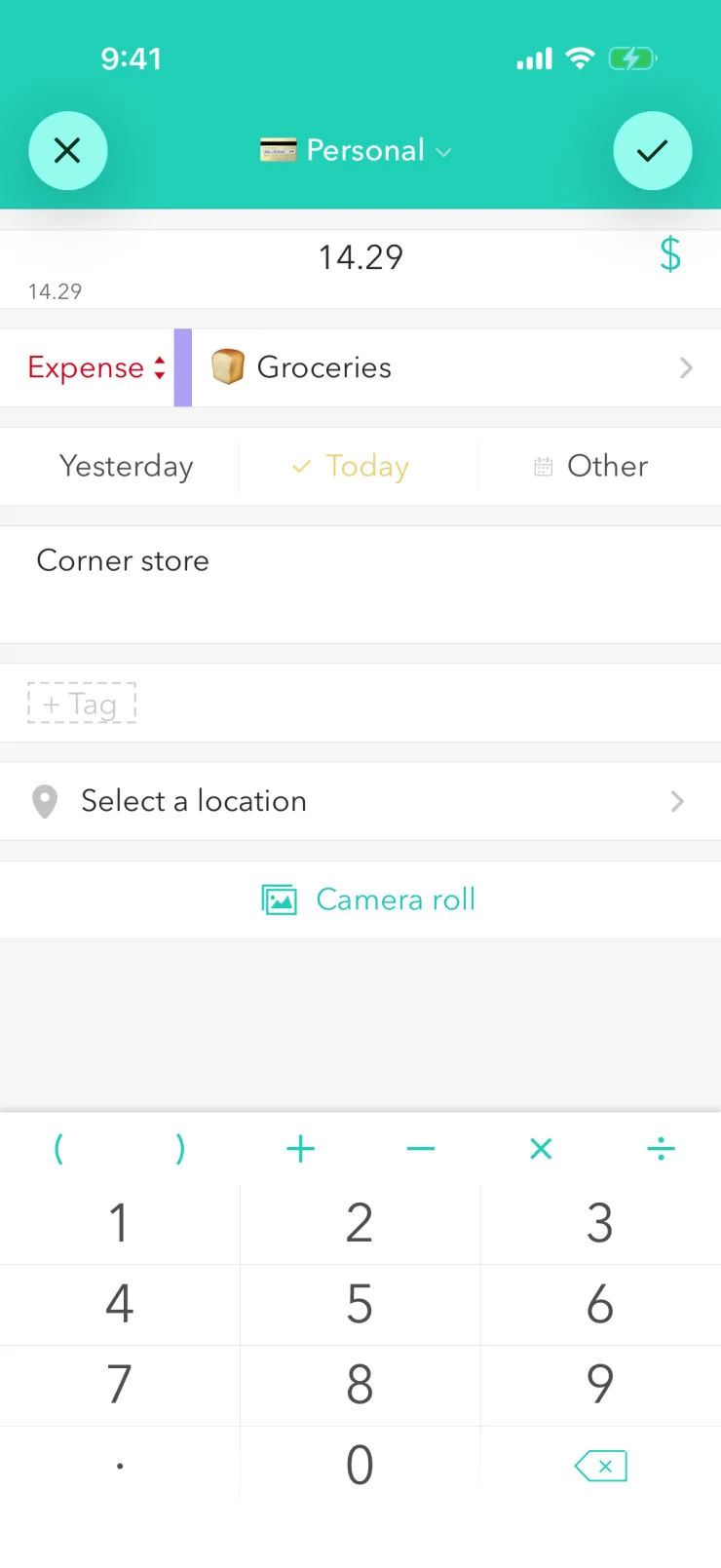
- 3
Save. The expense goes straight into its category, and if that category has a budget, it counts there too.
On iPhone, start right from the home screen widget.
What a week shows
7 days in a row with entries
Entries on every day of the week, Monday to Sunday.
Top spending this week
- Groceries $58.20
- Eating out $14.80
- Transport $9.60
Log every day, even just one expense. After a week, you will know which category costs the most.
Moneon in brief
Moneon is an expense tracker and budget planner for iPhone and Android, since 2014: track expenses and income, set monthly budgets, keep a family budget and track debts. Core features are free; more comes with Premium.
- Is Moneon free?
- Yes. Core features are free forever: expense and income tracking, budgets, multiple wallets, different currencies. Premium adds shared wallets, debts, reports with export and receipt photos. Premium is a monthly or yearly subscription; the price is shown in the App Store or Google Play before you pay.
- Which phones does it work on?
- Moneon works on iPhone and Android: it is on the App Store and Google Play.
- How do I track my expenses?
- Record each expense right away, while you remember: in Moneon it's an amount and a category. Keep all spending in one wallet, however you paid. Once a week, check the Summary to see how much went on each category.
- How do I make a monthly budget?
- Decide how much you're ready to spend on the main categories — groceries, transport, eating out — and set those amounts in Moneon. Every expense in a category counts toward its budget, and the bar turns yellow as you get close to it. After a month you'll see which amounts to adjust.
- Do I need separate wallets for cash and a card?
- No. Record everything in one wallet, however you paid: what matters is what the money went on. Start a separate wallet for separate tracking — a trip, a side gig or a small business. You can also share a wallet with your child and see how they track money; shared wallets are part of Premium.
- Can two people keep a family budget?
- Yes. Create a shared wallet and invite someone by email. Every expense shows who added it. Shared wallets are part of Premium, and each member needs it.
- Can I use Moneon on two phones?
- Yes. Sign in to the same account on the second phone and your records load from the server. Premium is tied to your account, so one subscription covers both phones.
- Can I track spending in different currencies?
- Yes. Moneon converts each expense to the wallet's currency at the rate for its date.
- Why use an app instead of an Excel spreadsheet?
- You record an expense on your phone right at the checkout, and Moneon adds up categories and what's left of each budget for you, no formulas needed.
- Can I export a report to Excel?
- Yes: reports export as CSV, which opens in Excel, or as PDF. Export is part of Premium.
A month with Moneon shows where your money goes
For iPhone and Android. Core features free forever. In development since 2014.

Point your phone camera here to open the right app store.