How to edit categories and tags?
iOS
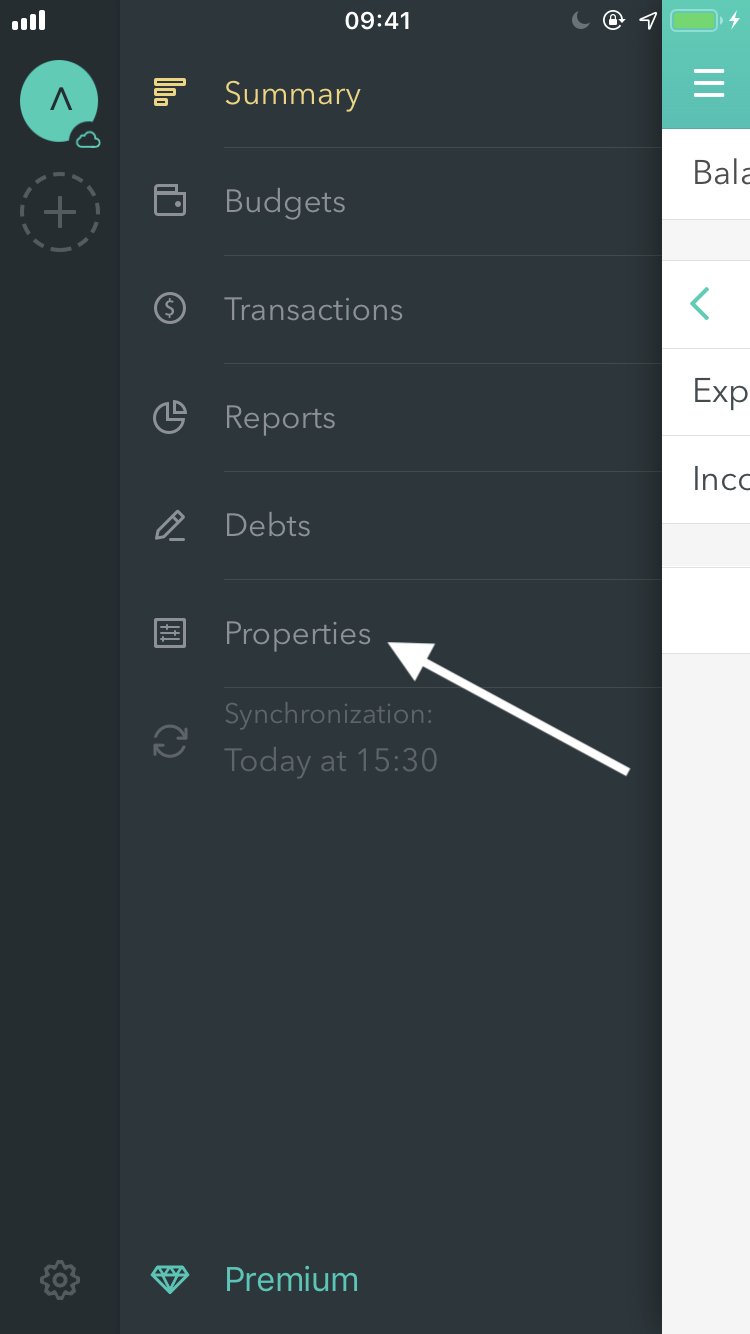
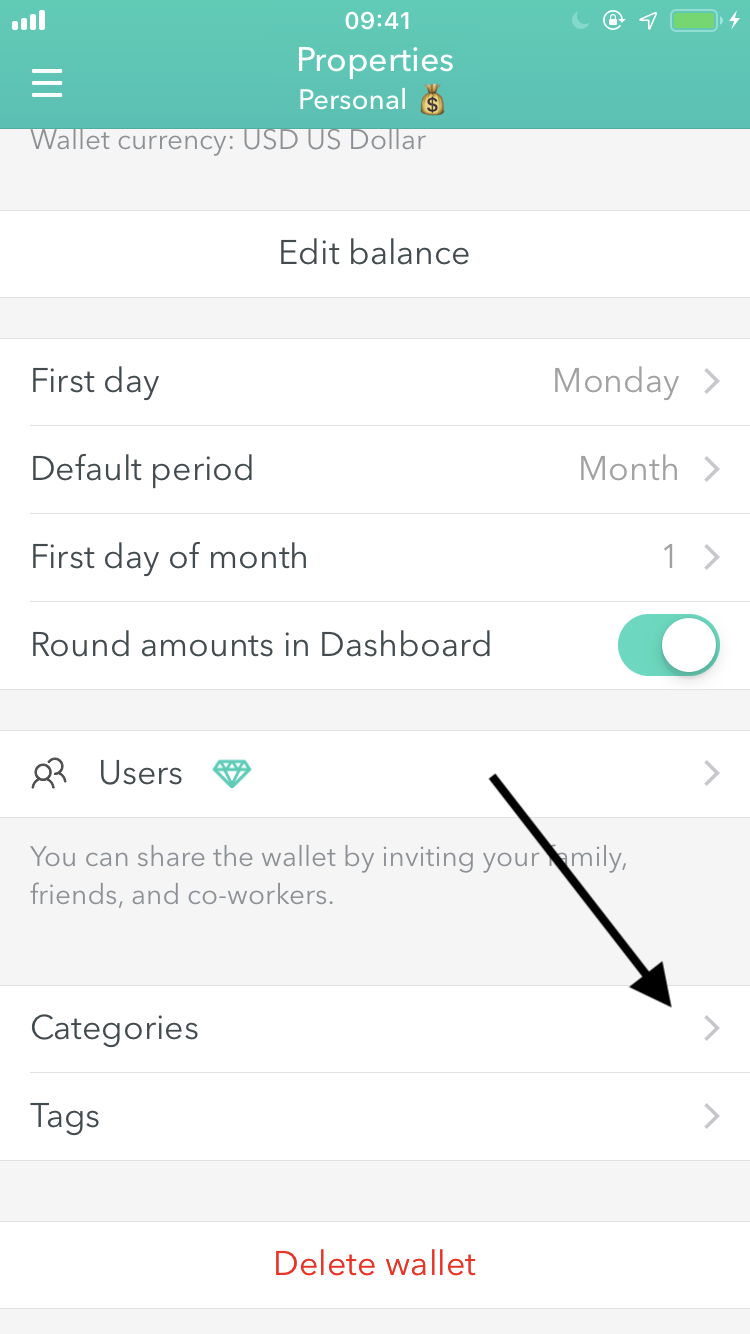
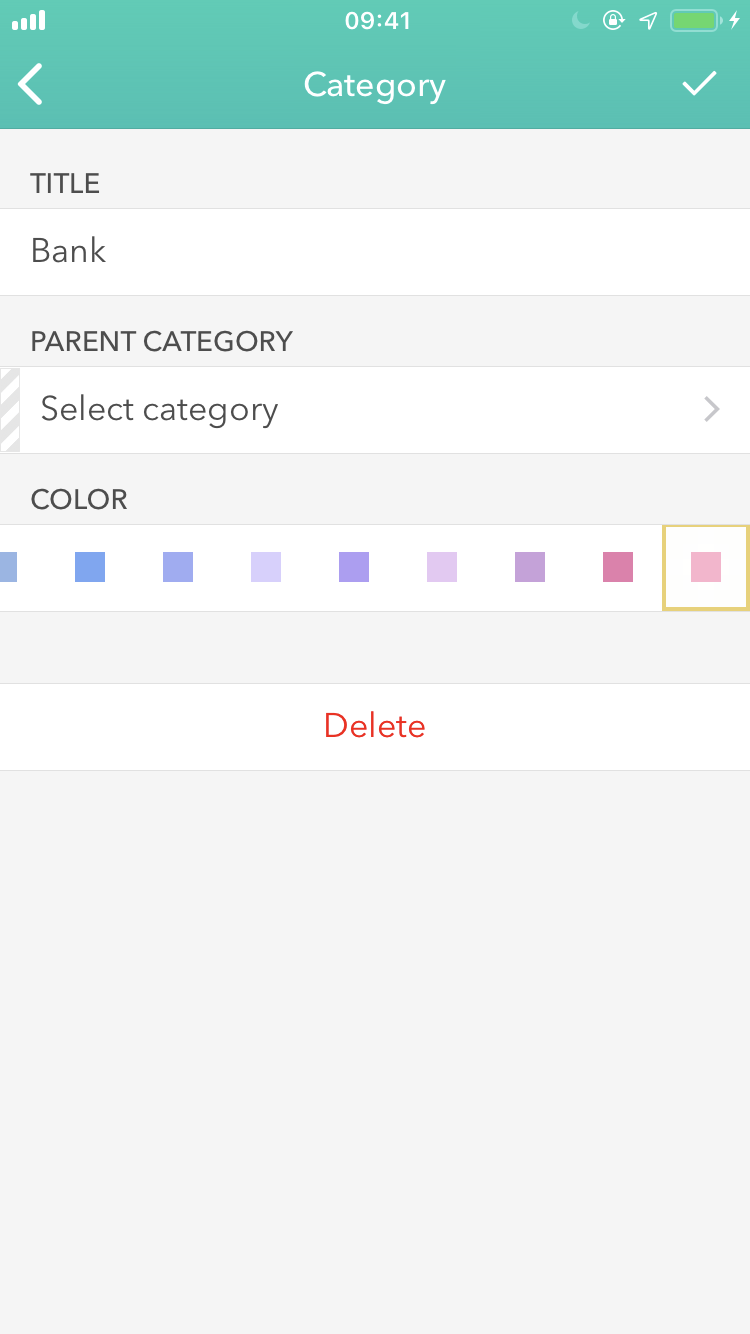
To do so open the Menu — Properties — Categories. There you can create, edit and delete categories and subcategories.
Android
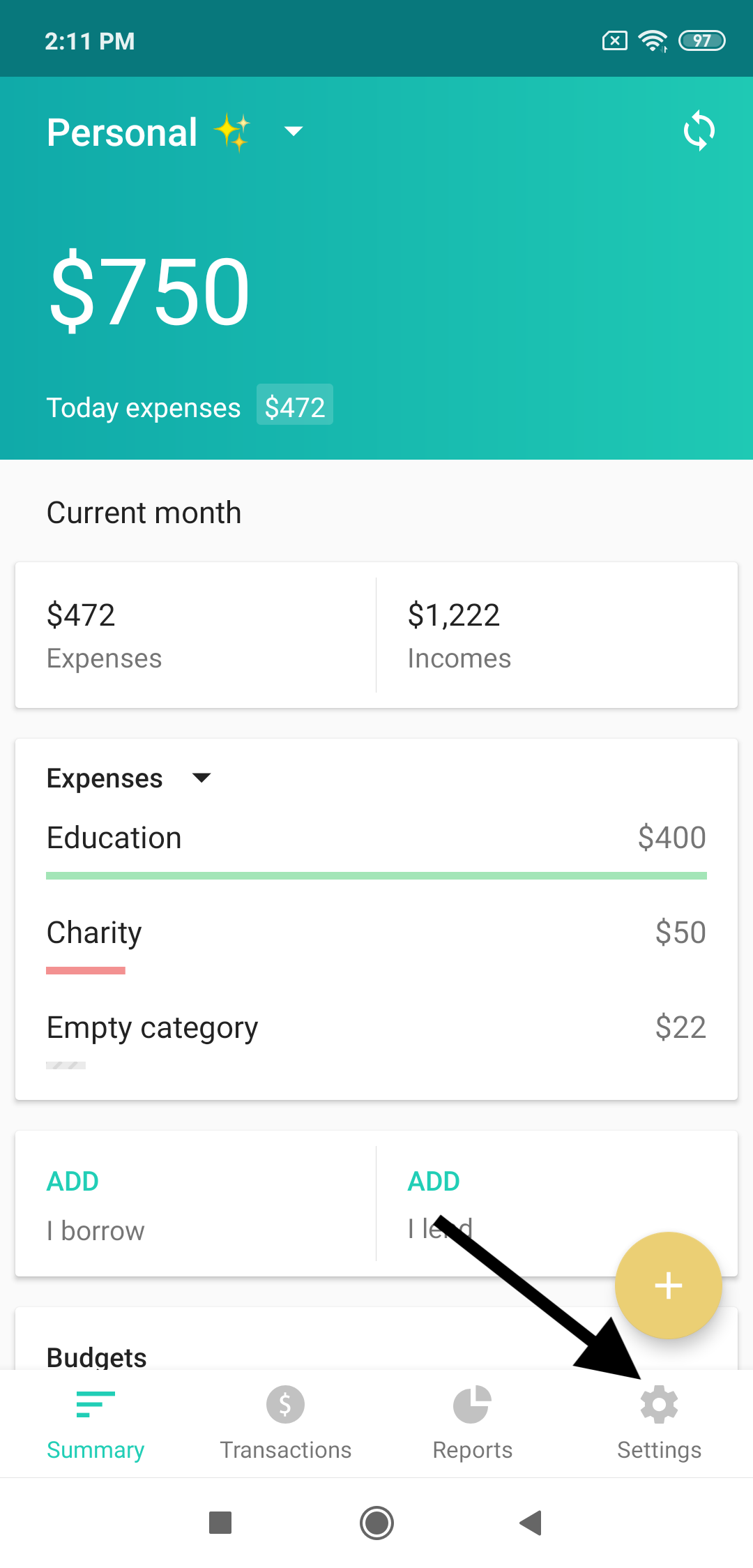
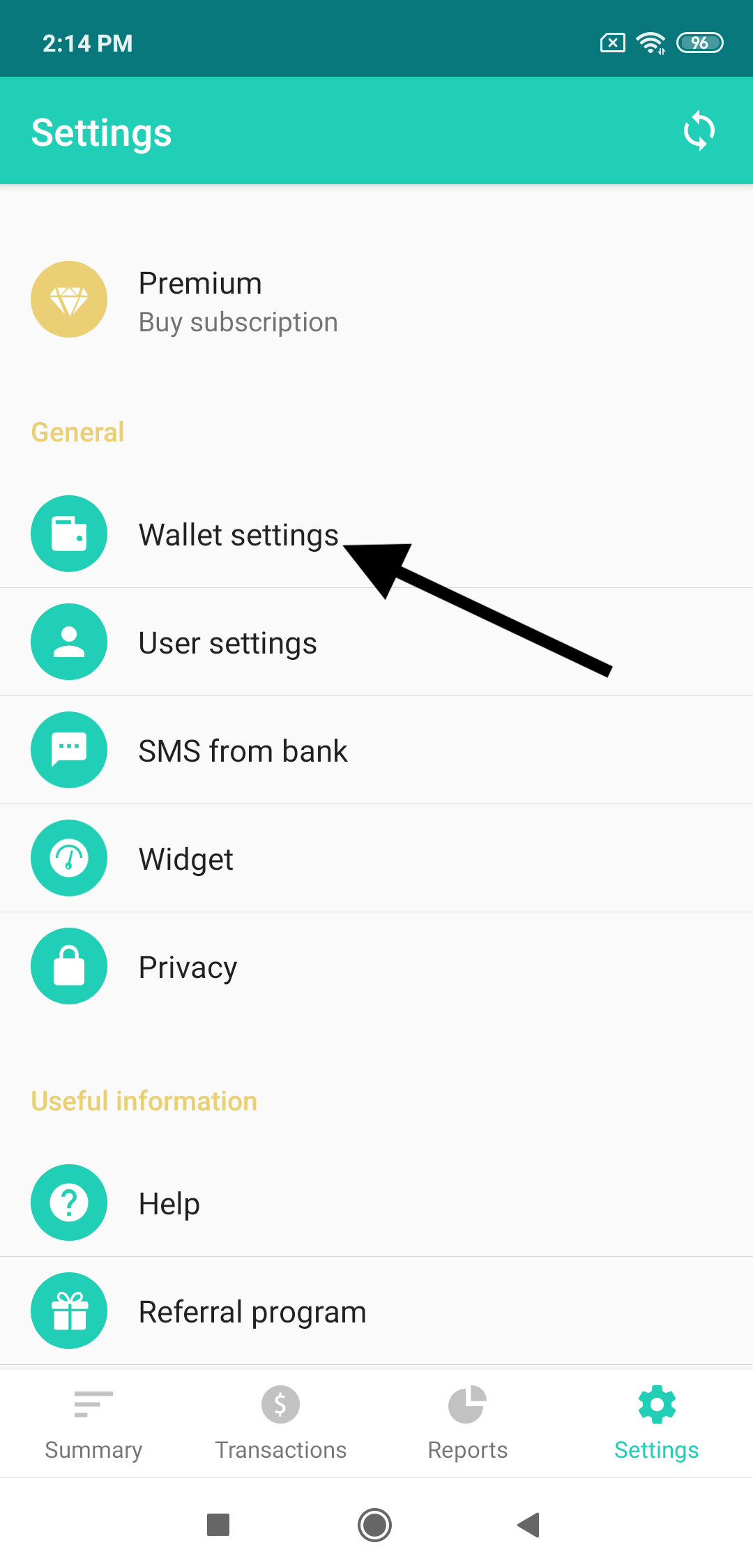
To do so open the Settings — Wallet settings — Categories. There you can create, edit and delete categories and subcategories.
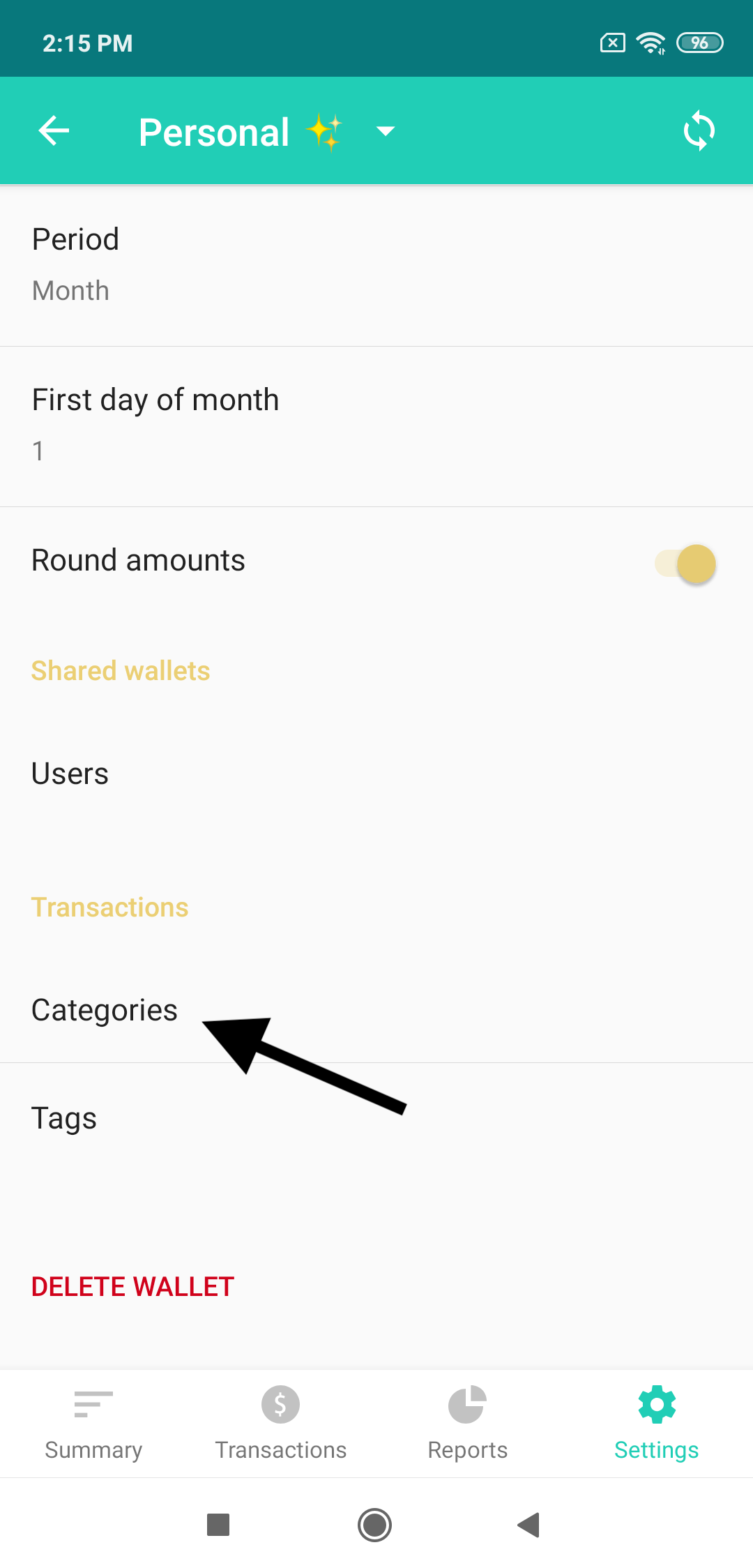
In the Tags section you can create, edit and delete tags.